Your numbers,
finally clear.
A financial dashboard built for dental practices. Connect your bank and your PMS, and DentBooks does the rest. About thirty minutes, end to end.
Thank you for being early.
You're one of the first practices on DentBooks. This guide takes you from signup to daily use in twelve short sections.
What you get.
Included
- Discounted founders rate, after a 2-month free trial
- Daily bank sync
- Open Dental integration
- Smart-buddy insights
Roadmap
- Dentrix & Eaglesoft integration
- Bank CSV upload
- P&L export
- Your feedback shapes what ships next
Out of scope
- Tax filing services
- Per-patient HIPAA data
- Practice management software
- CPA replacement
Five steps. About 30 minutes.
Self-serve, end to end. First sync runs automatically once you've connected.
Create account
Practice setup
Connect bank
Open Dental
Dashboard tour
Email and a password.
If you're reading this in the welcome email, you already did this part. If not — about two minutes total.
Choose
A password (8+ characters)
Verify
Click the email link we send
→ That's it.
📋See the step-by-step signup walkthrough →Four steps. Five minutes.
Practice info
Name, type, doctors. Mark the owner.
PMS choice
Open Dental, Dentrix, Eaglesoft, Curve, Other, or None.
PMS setup
Branches by PMS. OD users get an API key flow; others get a "notify me" form.
Bank prompt
Connect now (recommended) or skip.
Two minutes. Then your bank is connected.
Bank-grade secure. We never see your password. We never touch your money.
We read
- Transaction history
- Account balances
- Account names
We don't
- See your bank password
- Touch accounts you didn't connect
- Move money — read-only
Generate. Paste. Test. Sync.
Skip if you're not on Open Dental. We automate most of it — you're mostly clicking through.
Generate key
Paste into OD
Test
Sync
Five tabs.
Built mobile-first. Designed for between-patient moments.
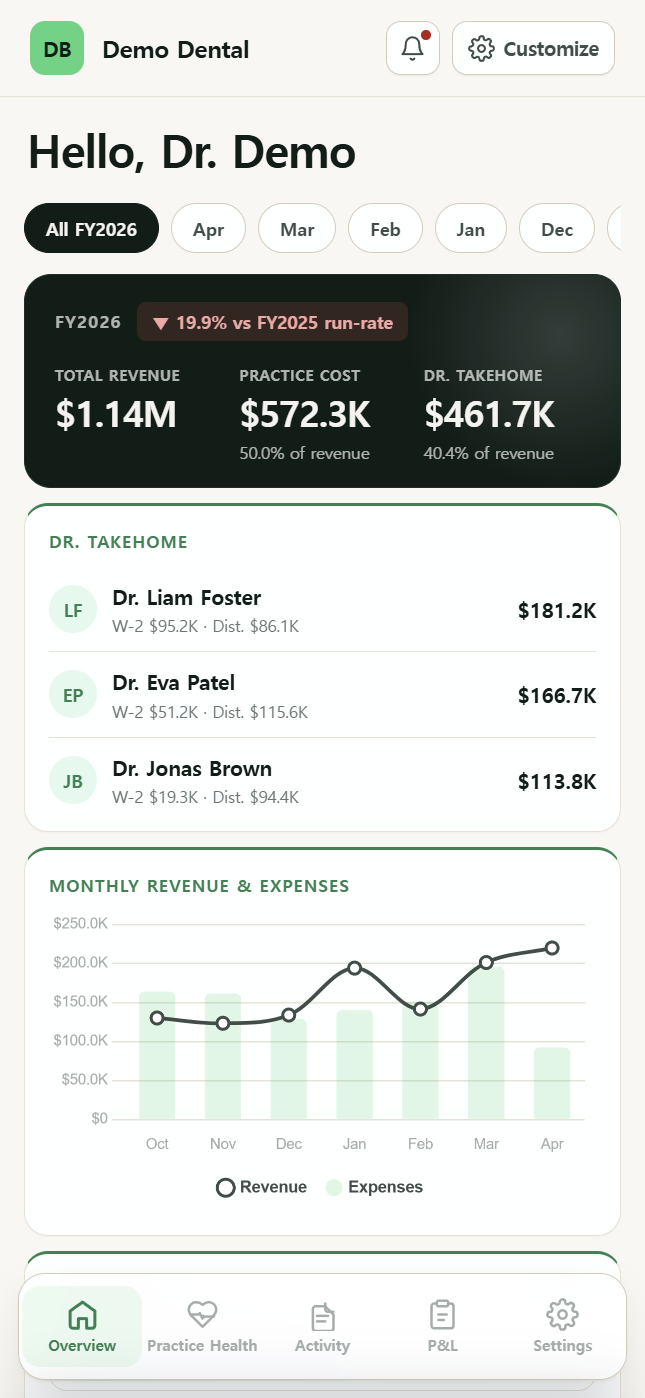
Overview
Revenue, practice cost, take-home. Top issues, top spend, top vendors. Customizable.
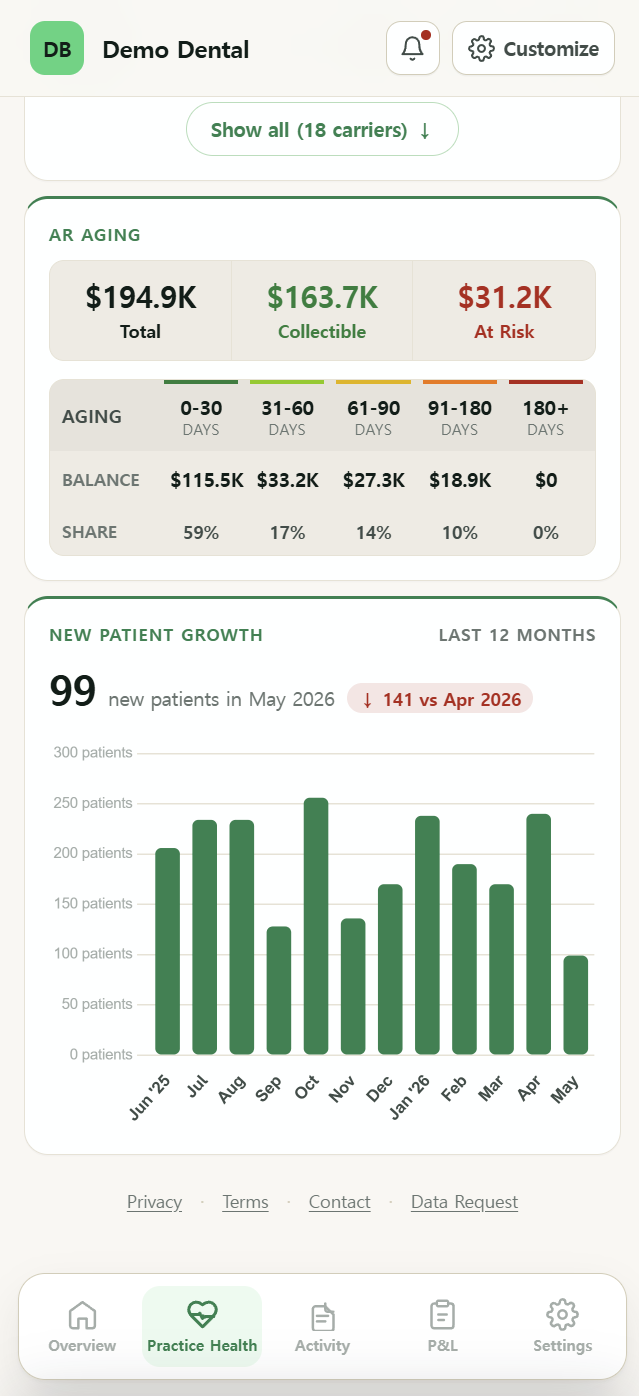
Practice Health OD only
Reappointment rate. Carrier performance. AR aging. New patient growth.
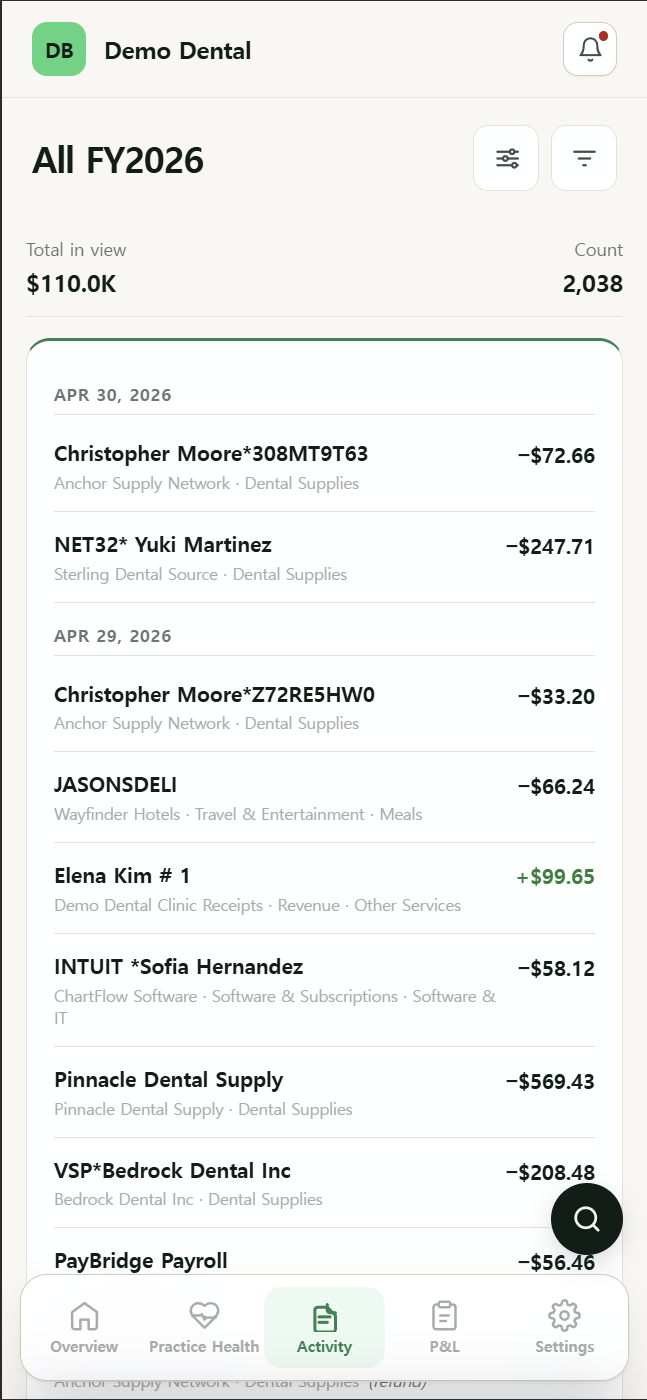
Activity
Every transaction. Search, filter, re-categorize. We remember vendor patterns.
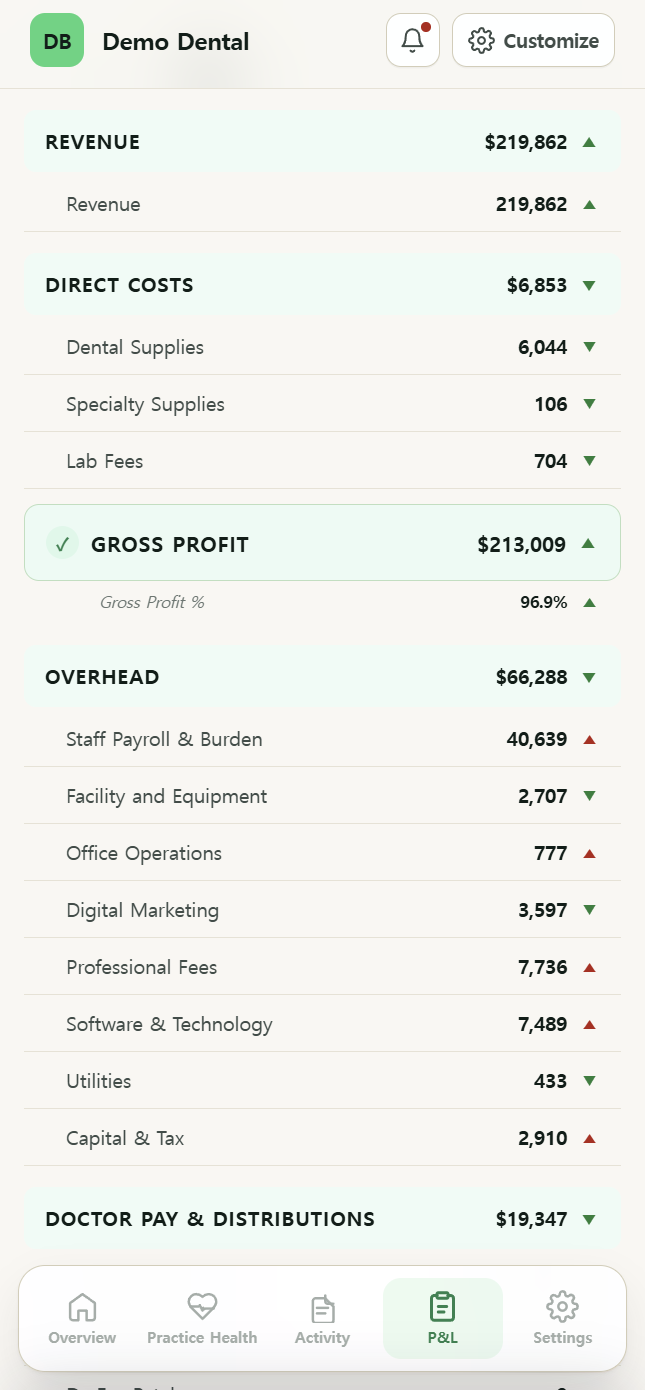
P&L
Income statement with dental-specific categories. Customize the chart of accounts.
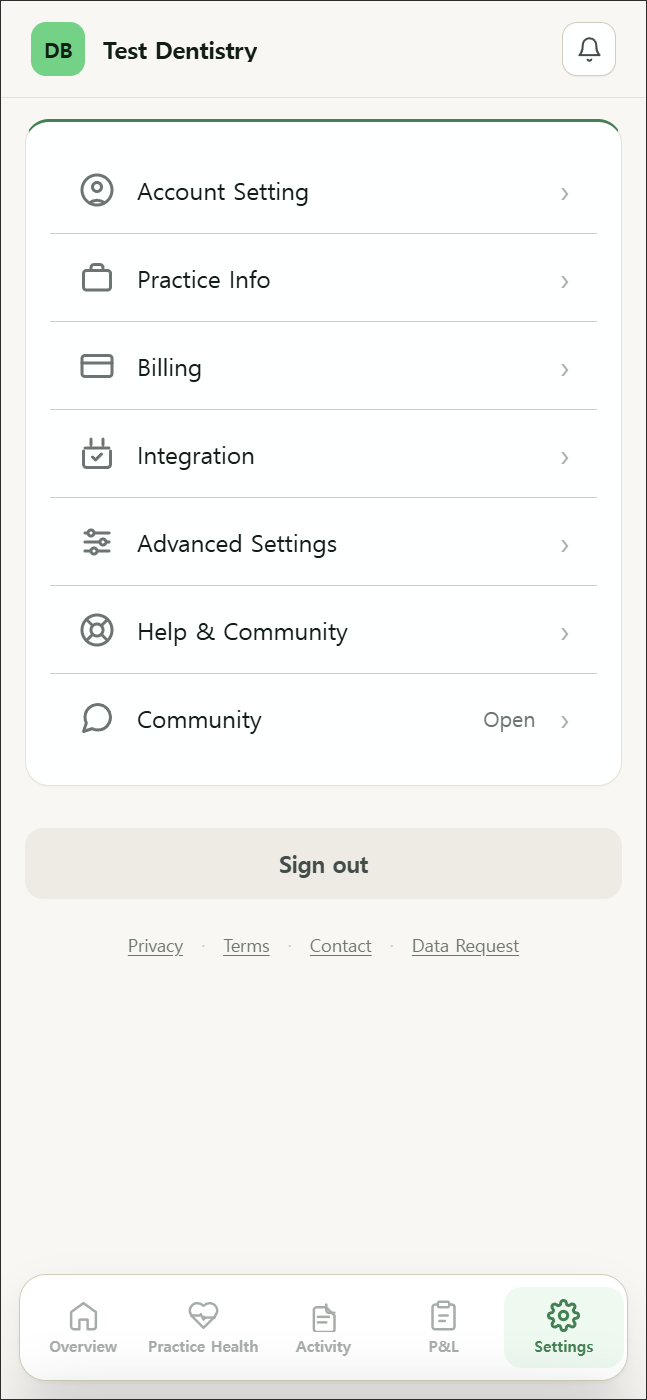
Settings
Billing, integrations, notifications, support. Everything's one tap away.
Five minutes a day.
Bank pulls daily. Practice Health refreshes at 6am if you turn on auto-refresh.
Daily
- Scan Overview
- Check the bell
Weekly
- Reclassify the week
- Scan Practice Health
Monthly
- Closed-month P&L
- CFO Insights
We flag what's changing.
DentBooks watches your numbers daily. When something crosses a meaningful threshold, you get a nudge with a Next step — the specific action to take this week. We don't manufacture alarms; if nothing crossed a threshold, no nudge fires.
Read-only. BAA signed.
Your data stays yours. We never see your bank password. We never store patient identifiers.
Bank
- Plaid handles the connection — same security as Mint, Robinhood, Venmo
- Read-only — we can't move money
- You can disconnect anytime from Settings → Integration → Bank Connections
Practice management
- Aggregate KPIs only — no patient names or identifiers
- BAA signed with Open Dental + our infrastructure provider
- You can revoke the API key from your OD admin panel anytime
Common questions.
Can I cancel anytime?
Yes. One click in Settings → Billing. No phone call required. Cancel before the 2-month trial ends and you owe nothing.
What if I'm not on Open Dental?
DentBooks still works as a financial dashboard. The Practice Health tab unlocks when we ship Dentrix and Eaglesoft integrations. We'll email you the moment your PMS is supported.
Will DentBooks replace my CPA?
No. We give your CPA better numbers, faster. Most owners send their CPA a monthly P&L export — that's still on the roadmap; for now you can show the dashboard live or screenshot it.
How does the smart-buddy decide what to flag?
A set of dental-specific thresholds — reappointment rate dropping, AR aging climbing, doctor takehome below industry norm, etc. We don't fire random alarms. If nothing crossed a threshold, your bell stays empty.
Can I install DentBooks like an app?
Yes. From your phone's browser, choose "Add to Home Screen." See the install guide for the exact taps on iPhone and Android.
We read every message.
In-app
Settings → Help & Community → Submit a ticket. Goes straight to our support inbox.
customer.support@getdentbook.com
We aim to reply within one business day — sooner for anything critical.
Forum
Settings → Community. Open feedback forum where you can vote on what we build next.